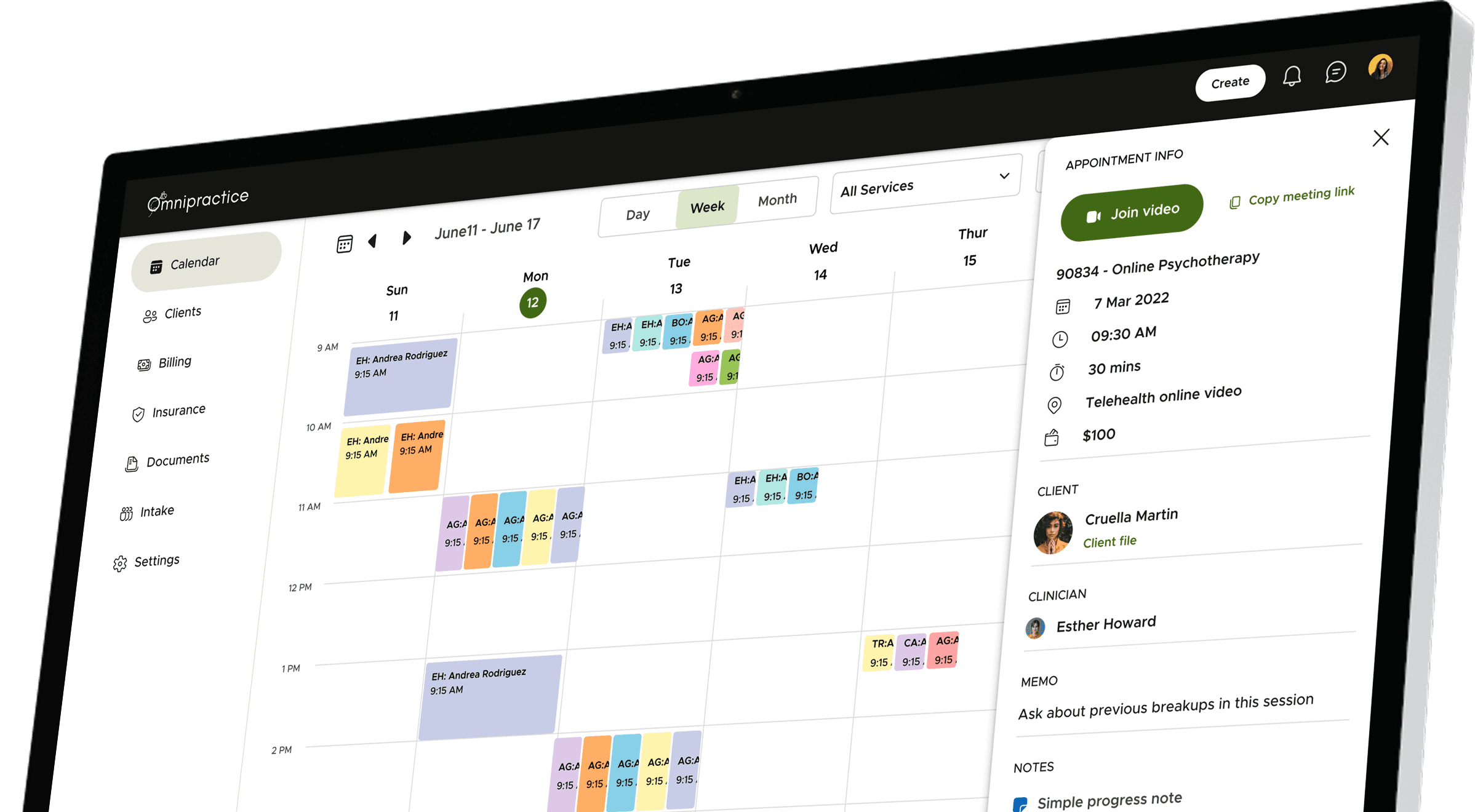
Omnipractice is a tool that helps therapists and mental health clinics run their practice more smoothly. Instead of using many different apps for appointments, notes, billing, and insurance, they can do it all in one place.
Company
Sprung Inc
Role
Lead Product Designer
Length
12 months
Team
2 Designers, 5 Developers, 1 QA, 1 Manager
Year
2023-2024
Contents
Part I
1.
Why
Why did we build
1.1
Problem statement
1.2
High level goals
2.
What
What did we build
2.1
Core modules
2.2
Insights to decisions
2.3
Iterations
Part II
3.
How
How did we build
3.1
User research
3.2
Identity
3.3
Design system
3.4
Impact
Preface: My role & challenges
I led the end-to-end product design for Omnipractice, from early discovery to final handoff. As the primary designer, I owned everything from research to systems thinking, while collaborating closely with a junior designer who supported execution across screens and components.
This wasn’t just a UI job—I was deeply embedded in product strategy, helping define the roadmap alongside stakeholders and translating domain complexity into a clear, usable platform. I designed the system from scratch, set up scalable foundations, and drove design decisions grounded in real user insights.
Working remotely across time zones and designing for the nuanced workflows of US-based mental health practices required both domain ramp-up and tight collaboration. It was hands-on, high-ownership work—and one of the most rewarding builds I’ve been part of.
1.
Why
Why did we build
Behind every practice is a provider balancing client care with heavy administrative work. We saw the toll outdated systems were taking — on their time, on their energy, and sometimes even on client outcomes.
We saw an opportunity to lift that weight, giving providers the freedom to focus where it matters most: their clients.
Problem statement & Goals
How might we create a seamless, all-in-one practice management solution that eliminates fragmented workflows, minimise admin work, and adapts to the diverse needs of mental health professionals?
Reduce Administrative Burden
Minimize time spent on scheduling, billing, and insurance tasks through automation.
Enhance flexibility
Offer customizable features to accommodate different practice needs, from solo therapists to large clinics.
Ensure Seamless Client Management
Enable therapists to manage multiple client relationships (individuals, couples, and families) without duplication.
Fast User Adoption
Create an intuitive, all-in-one platform that seamlessly integrates into existing workflows.
2.
What
What did we build

Core modules
🗓️
Calendar
This is where therapists manage their day. They can see upcoming appointments, check their availability, and even join video calls—all from one screen. It also syncs with Google Calendar, so everything stays up to date automatically.
🧑🏻🤝🧑🏽
Clients
A place to keep track of everyone they work with—individuals, couples, or families. Therapists can view client details, notes, session history, and even manage relationships like a parent for a minor. Everything is neatly organised.
💵
Billing
Therapists can easily see who paid, who hasn’t, and what’s due. Invoices are created automatically, and payments can be charged with just one click. No more chasing down payments or doing math at the end of the day.
🪪
Insurance
Submitting claims doesn’t have to be a headache. Omnipractice fills out the CMS 1500 forms for them, pulls in all the right info, and even tracks the status of claims in real time. That means fewer errors and faster payments.
🗂️
Documents
Notes, forms, assessments—all in one place. Therapists can use ready-made templates or build their own, just like Google Forms. Supervisors can review and sign off when needed, and everything is securely stored.
Insights to Design decisions
Talking to therapists, practice owners, and billers gave me a front-row seat to the everyday chaos behind the scenes. I started to see clear patterns in their day-to-day challenges. These insights played a big role in shaping how we approached the product.
This section is a peek into how those honest conversations shaped the product. I’ll walk you through a few of those key learnings and how they translated into design decisions that made Omnipractice simpler and more useful.
1
Managing multiple client relationships
“I see individuals, couples, and families, but my software forces me to create separate accounts for the same person”
– James Holloway, LCSW
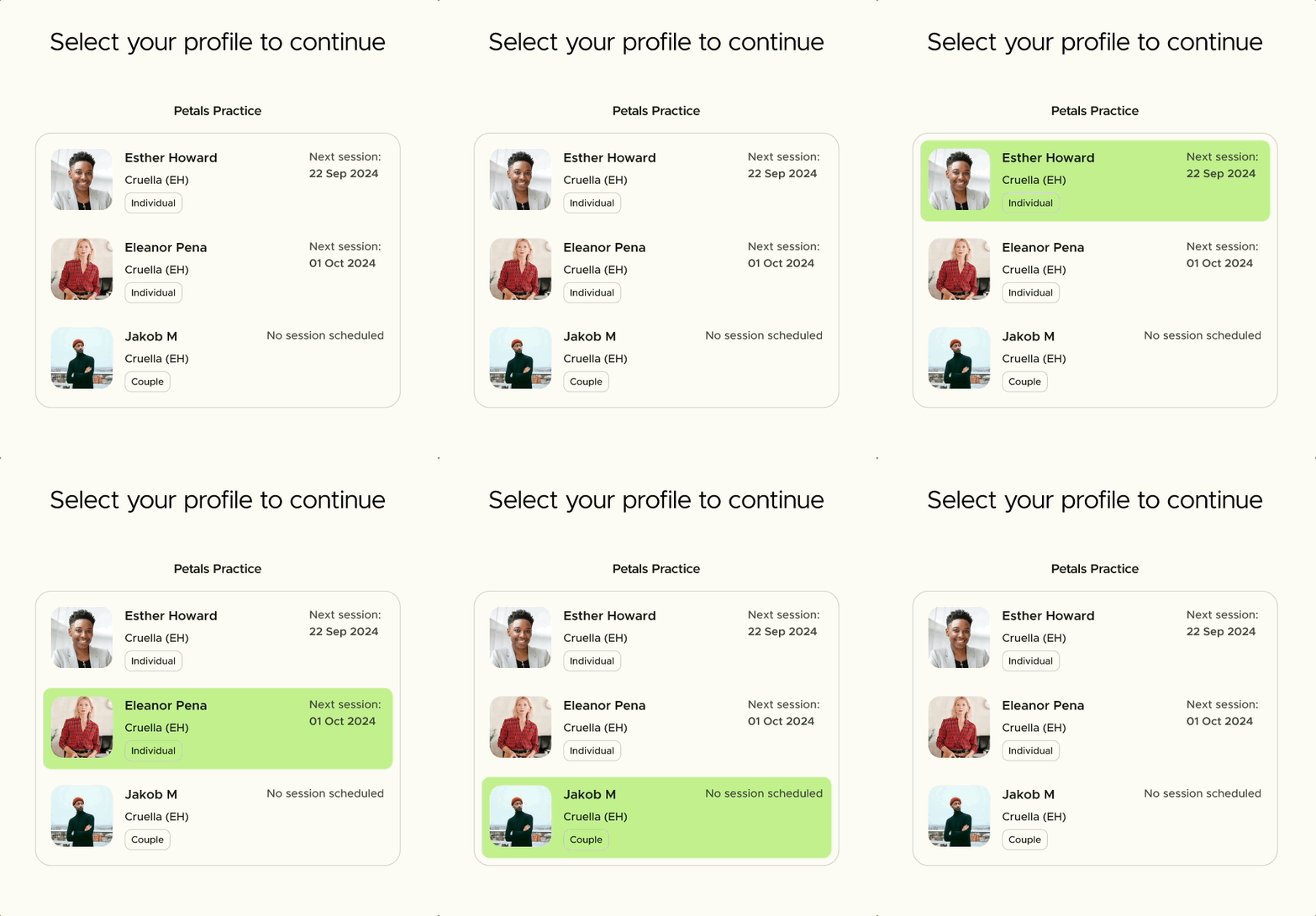

In mental health practices, a single person might see one therapist individually, attend couples therapy with a partner, and also be part of a family session — sometimes with different providers. Most tools struggle to support this, making it hard to manage records, ensure privacy, and offer a unified login experience without messy workarounds.
The fix - flexible client profiles
We figured out a way to handle this more elegantly:
by allowing multiple profiles under a single login. Each profile—whether it’s for individual, couples, or family therapy—gets its own client file. That means different therapists can work with the same person in different contexts, while keeping records private and organized. Clients only need one secure login, and everything stays tidy behind the scenes.
85%
Clients said the feature solved the problem for them.
2
Complex Billing & Insurance
“Billing and insurance take up more time than actual therapy.”
– Dr Maya Ellis, LMFT, Practice Admin

Therapists were juggling between generating invoices, charging cards, filling CMS 1500 forms, and chasing insurance updates — often across different tools or spreadsheets. And because of all the manual work, errors happened, payments got delayed, and it all added up to burnout.
“I’m a therapist, not an accountant.”
“Our billing software looks like it’s from 2005.”
“Insurance is just… a nightmare.”
The fix - automated and assisted billing
So we figured out a better way:
Invoices are auto-generated after each session.
Payments are collected seamlessly — manually or auto-charged via Stripe.
Insurance claims are auto-filled with the right client, provider, and service details.
You can even track claim statuses in real time — no more digging through insurance portals.
It’s built for real people, not billing pros. Because therapy is hard enough without billing getting in the way.
35%
less claim rejections
70%
clients find it better than their previous solution
3
Fragmented workflows
“By the time I finish hopping between tools, I’ve already lost track of what I was doing.”
— Lisa Bennett, LMFT

Therapists told us they were bouncing between apps all day—one for scheduling, another for billing, something else for notes, and yet another for insurance. It was exhausting.
This constant hopping between platforms not only eats up valuable time, but also makes it easy to lose context, miss details, or make mistakes. It’s a mental load therapists shouldn’t have to carry.
“I just want one place where I can see what’s going on with my clients.”
The fix -all in one platform
We brought all the essential tools—scheduling, billing, notes, and insurance—into a single, connected space. No more bouncing between tabs or losing context. Just one smooth, focused workflow that lets therapists stay in the zone.
4
Rigid workflows
“I do a bit of everything—therapy, supervision, and admin. But the software doesn’t get that. It boxes me into just one role.”
— Sarah Paul, Practice admin


Therapists told us they were bouncing between apps all day—one for scheduling, another for billing, something else for notes, and yet another for insurance. It was exhausting.
This constant hopping between platforms not only eats up valuable time, but also makes it easy to lose context, miss details, or make mistakes. It’s a mental load therapists shouldn’t have to carry.
“I just want one place where I can see what’s going on with my clients.”
The fix -all in one platform
We brought all the essential tools—scheduling, billing, notes, and insurance—into a single, connected space. No more bouncing between tabs or losing context. Just one smooth, focused workflow that lets therapists stay in the zone.
Iterations
We didn’t nail everything on the first go — and honestly, that’s where the magic happened. We tested, tweaked, and sometimes totally reworked things based on real feedback. Here’s a peek at some of those moments.
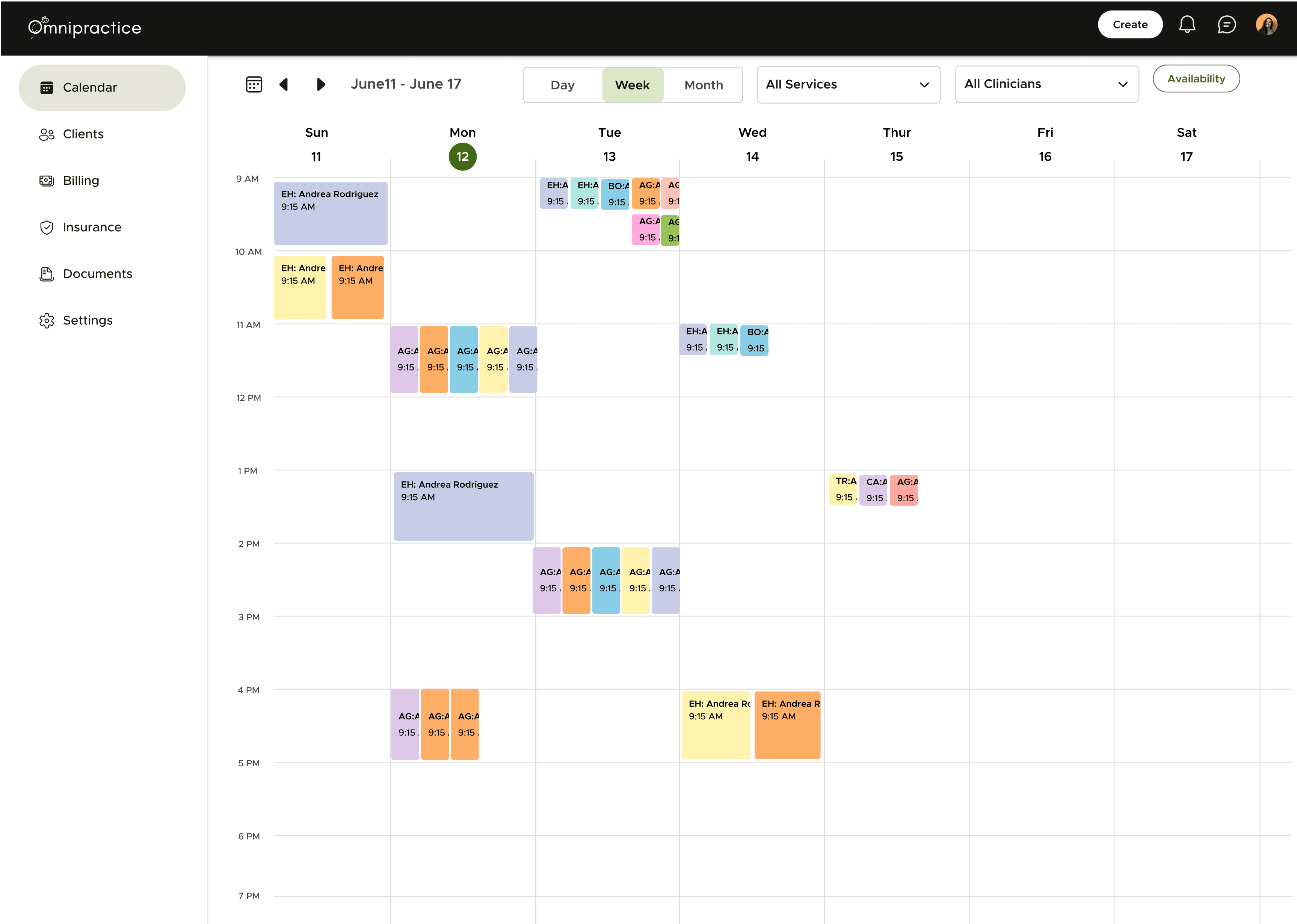
1
Calendar
Before
Hard to spot free solts
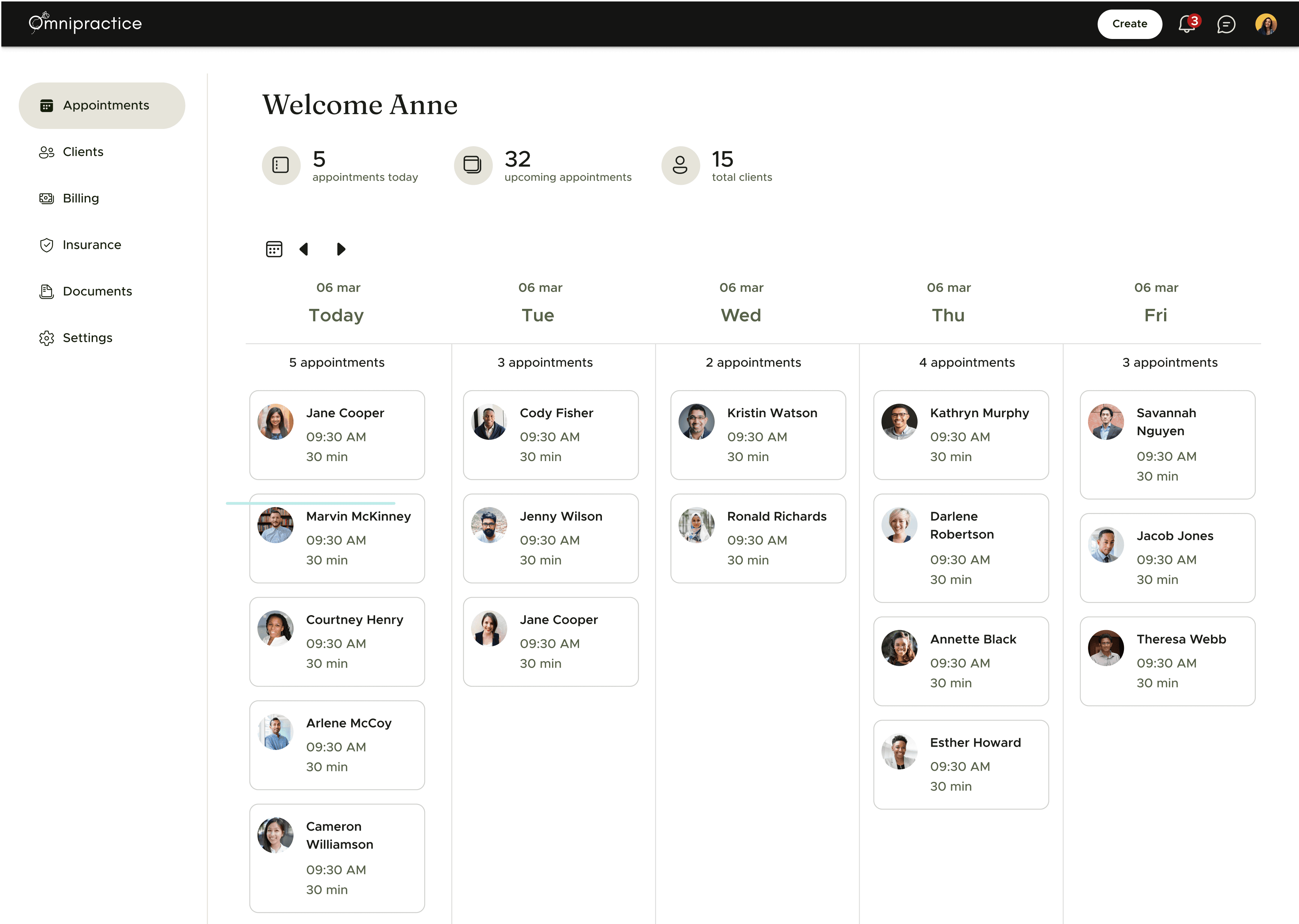
After
Easier to spot free slots and availability
80%
Preferred calendar over appointments (user surveys)
2
Form builder
Before
User feedback on lack of flexibility and ease of use
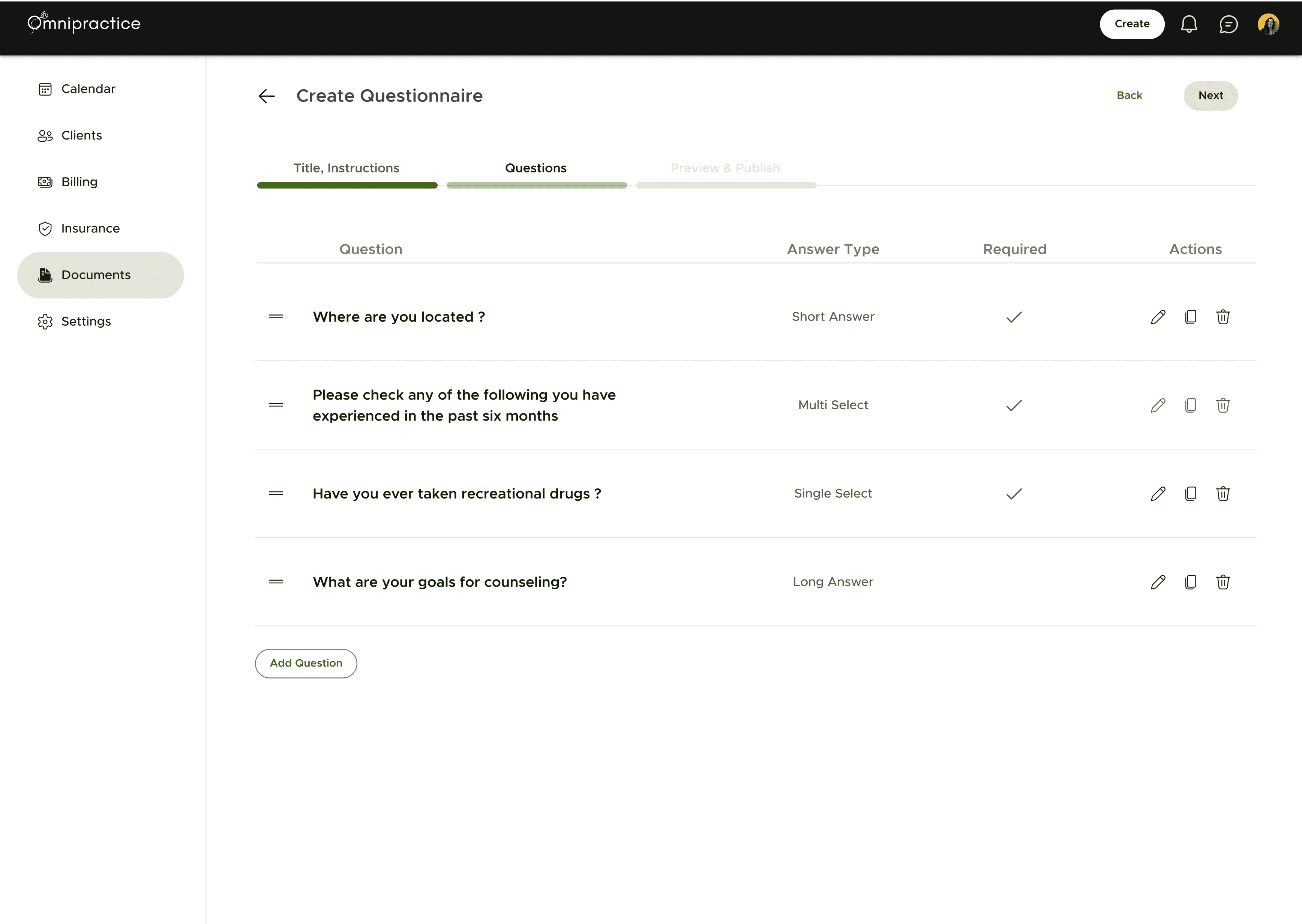
After
Google form style custom form builder